cPanel, first class
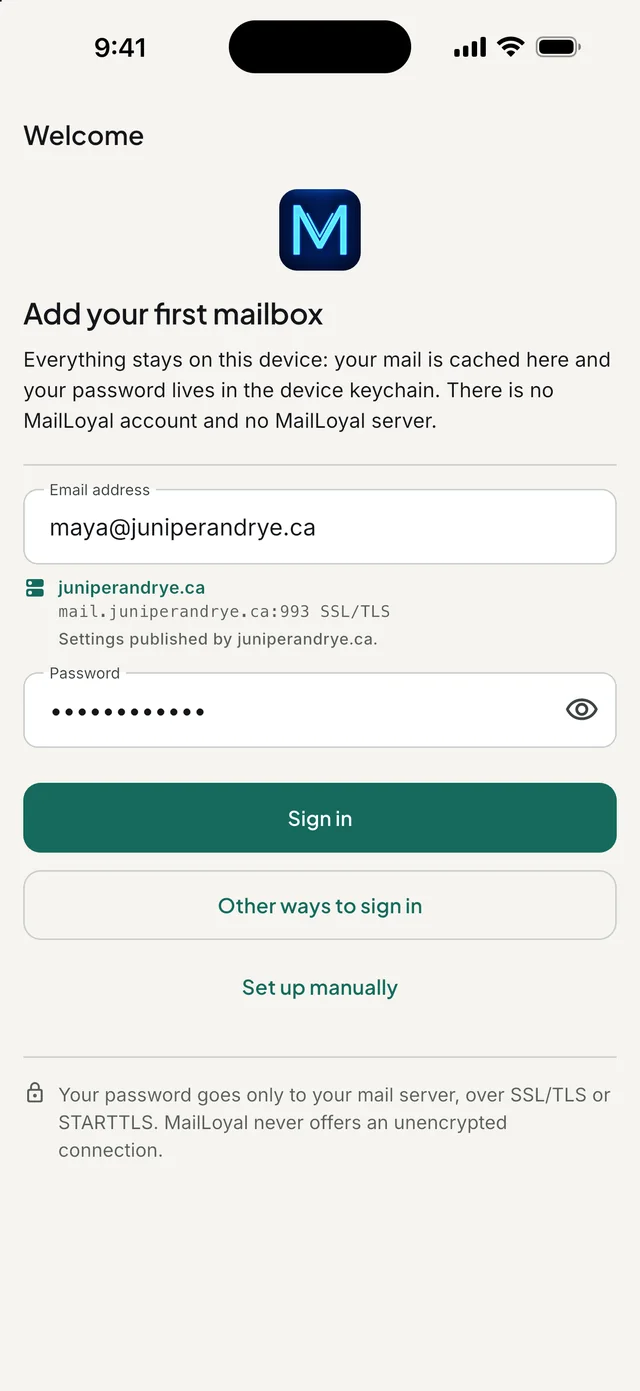
Type your address and password. MailLoyal finds mail.yourdomain, tries the secure ports, and understands the certificate names shared hosts use.
 For iPhone, iPad, Mac and Android
MailLoyal is a mail client that gives the mailbox on your own domain the same care Gmail and iCloud get everywhere else. There is no MailLoyal account and no MailLoyal server: your mail goes between your device and your mail server, and stops there.
How it works
Many mail apps route your mailbox through servers of their own. MailLoyal connects directly, the way a mail client should, and keeps your password in your device’s keychain.
Features
Everything you expect from a mail app, and the things a cPanel mailbox needs that others leave out.
Type your address and password. MailLoyal finds mail.yourdomain, tries the secure ports, and understands the certificate names shared hosts use.
SSL/TLS or STARTTLS, every time. If a server offers neither, MailLoyal stops and says so. It will never quietly send your password in the clear.
When a mailbox won’t connect, eight named checks show where it stopped and what to do next, instead of “could not connect”.
A certificate your device can’t verify is shown with its SHA-256 fingerprint. Trust it for that one server, or switch to the name it was issued for.
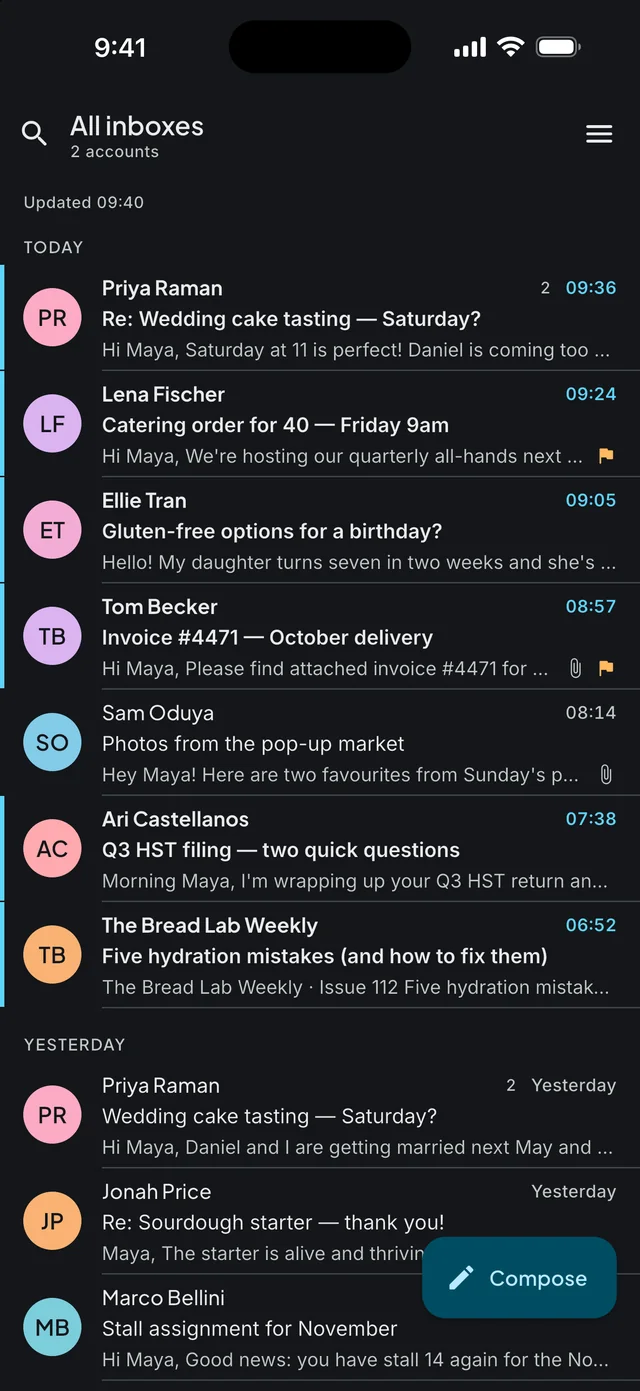
Add several accounts and read them together, with conversations grouped on your device.
Mail you’ve opened is there without a connection. Flags, moves and deletions apply at once and reach the server when you’re back online.
Write plain text, format with a full toolbox, or edit the HTML itself. A plain-text version always goes along.
Six built-in layouts that work offline, AI designs on your own key, and signatures you can send to another device by email.
Draft replies, write new emails and polish what you’ve written, on your own Anthropic or OpenAI key. Every draft lands in the editor for you to read.
Within seconds on Android. On iPhone, whenever iOS allows a background check, which is why MailLoyal calls it Fetch.
MailLoyal follows your device’s language, or you choose one. Arabic, Hebrew and Urdu read right to left.
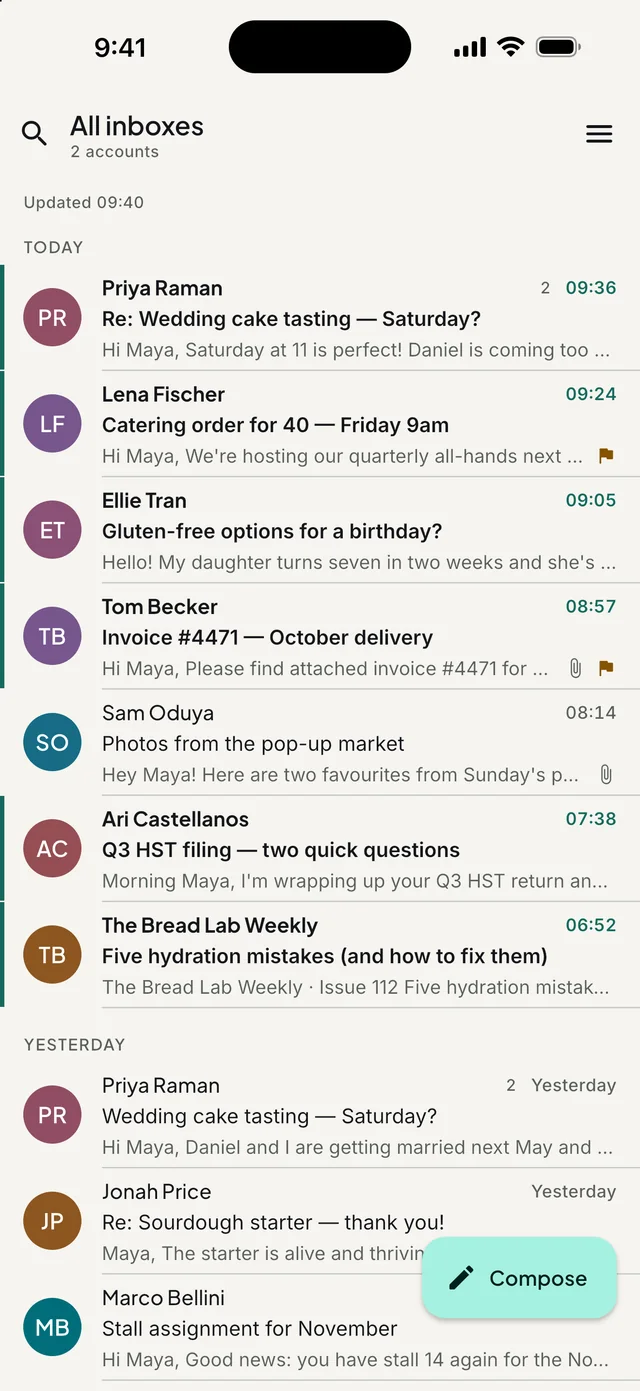
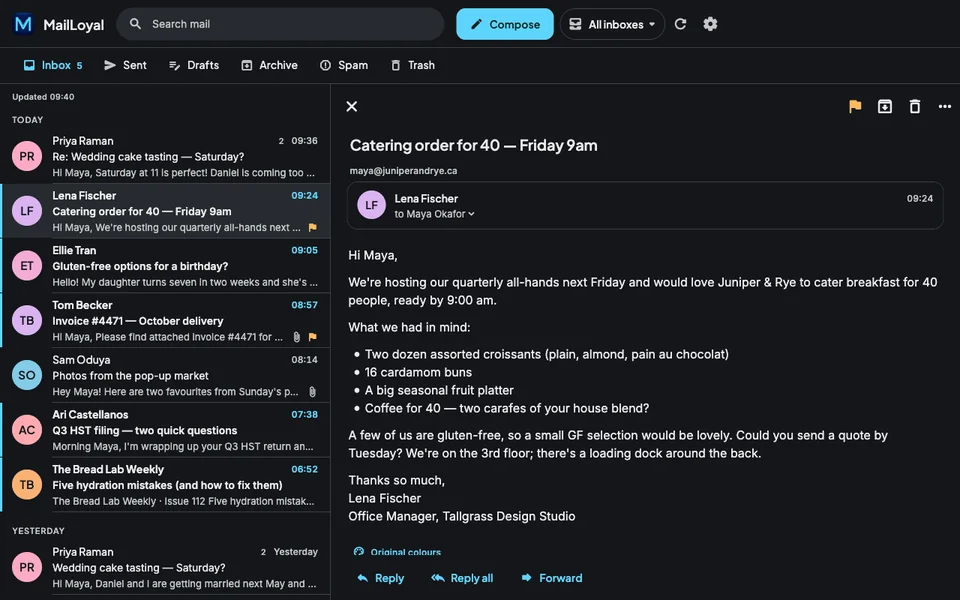
Eight accents, 24 custom hues, and light, dark or true-black modes. The dark mode was drawn, not inverted.

Setup
MailLoyal recognises Gmail, iCloud, Yahoo, Zoho and Fastmail as you type. For your own domain it asks the domain for its published settings, then tries mail.yourdomain on the secure ports, and shows you each step as it goes.


Reading
Messages are rebuilt from a safe list of HTML before you see them. Scripts, forms and frames never run, and a link whose text shows one address but opens another asks before it goes anywhere.


AI assistant, optional
Tell MailLoyal what you want to say, in a few words and in any language, and it drafts a reply that fits the conversation. The draft lands in the editor. Nothing is sent until you press Send.
Without a key, signatures use the built-in layouts and nothing is sent anywhere.

Appearance
Choose one of eight accents or any of 24 hues. Every colour is tuned to the same lightness, so text and controls stay readable whichever you pick, in light, dark and true black.
iPad and Mac
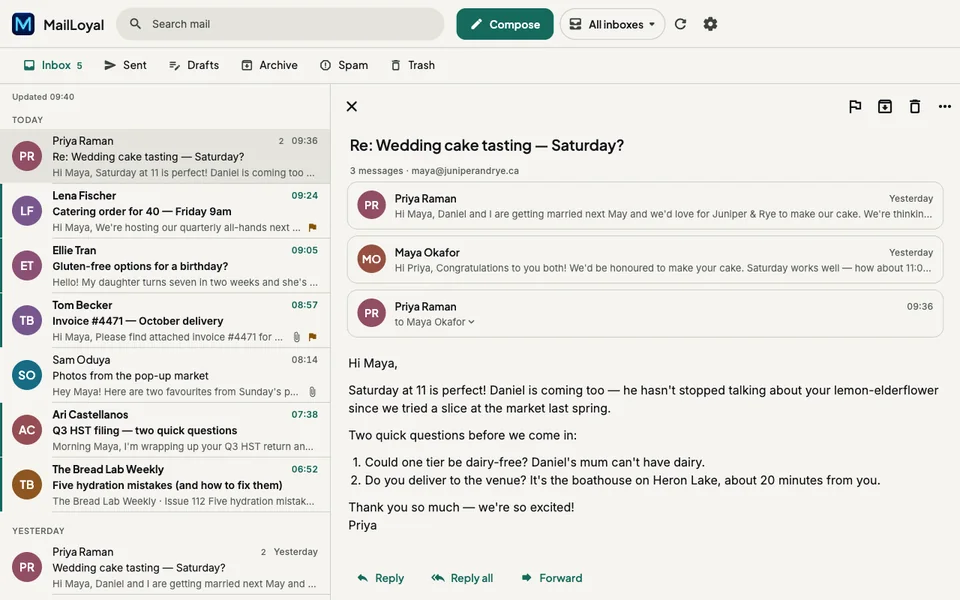
On a wide screen the message list sits beside the open message, with your folders along the top. Keyboard shortcuts come along.
Pricing
Nothing in MailLoyal is locked behind a purchase. The iPhone, iPad and Android apps are paid for by ads, which you can remove on any of them.
With an ad at the top of the inbox, a banner under the message you read, and an ad that can appear when the app first opens.
With an ad at the top of the inbox, a banner under the message you read, and an ad that can appear when the app first opens.
With an ad at the top of the inbox, a banner under the message you read, and an ad that can appear when the app first opens. The same two plans remove them, through Google Play.
Prices are US prices; the App Store and Google Play show the price for your country. The monthly plan renews automatically until you cancel it: on iPhone and iPad in your Apple Account settings, at least 24 hours before the renewal date, and on Android in Google Play. Payment, cancellation and refunds are handled under Apple’s or Google Play’s own terms, and MailLoyal never sees your payment details. Terms of Use · Privacy Policy
Languages
MailLoyal follows your device’s language, or you can choose another in Settings → Language. Each email keeps its own writing direction.
This website speaks all 47 too. Choose yours:
Questions
No. There is nothing to sign up for. Your mail travels only between your device and your own mail server, and your passwords stay in your device’s keychain. The only other places anything can go are listed in the privacy policy: a settings lookup while you add an account, the AI provider of your own key if you turn AI on, and Google’s ads on iPhone, iPad and Android.
Any IMAP mailbox: your own domain on cPanel hosting, Gmail, iCloud Mail, Yahoo, Zoho, Fastmail and other IMAP servers. MailLoyal reads mail over IMAP and sends it over SMTP; POP3 and Exchange are not supported.
Not yet. Microsoft turned off password sign-in for mail apps and offers no app-password option, so connecting needs a Microsoft sign-in method (OAuth) that MailLoyal doesn’t include in this version. It says so as soon as you type the address, and your other accounts are unaffected.
Yes, with every mail feature, on every platform. The iPhone, iPad and Android apps show non-personalized ads. A monthly subscription or a one-time lifetime purchase, from the App Store or Google Play, removes them. The Mac app has no ads and nothing to buy.
Only if you add your own Anthropic or OpenAI key, turn on a feature, and then ask for a draft. Requests go straight from your device to that provider. Each feature has its own switch and its own consent, and nothing is ever sent for you: every draft lands in the editor for you to read.
iOS decides when apps may check for mail: typically every 15–60 minutes, and never in Low Power Mode or with Background App Refresh off. MailLoyal calls this Fetch rather than Push, because that is what it is. On Android, new mail arrives within seconds for up to six hours a day, then every 15 minutes until you next open the app. On a Mac, MailLoyal checks while it is open.
In Spam, always, until you allow them. Elsewhere they load when you open a message, unless you turn on Settings → Privacy → Ask before loading images, which hides them in every folder. You can then allow images for one message, or always for a sender.

MailLoyal 1.0 is coming to the App Store for iPhone, iPad and Mac, and to Google Play for Android. The download links appear here as soon as each store has it.
Requires iOS 15 or later, macOS 12 or later, or Android 7.0 or later.